Relying on one MFA device can strengthen security while lowering real recoverability. Start with: store recovery codes offline. Then preserve evidence, verify through a separate route, and recover accounts in order.
Strong authentication needs recovery design. Plan for lost phones, number changes, and travel before they become account lockout events.
Use this as a response routine for single auth device: act through official routes, keep records, and involve the right owner when money, work, or family accounts are exposed.
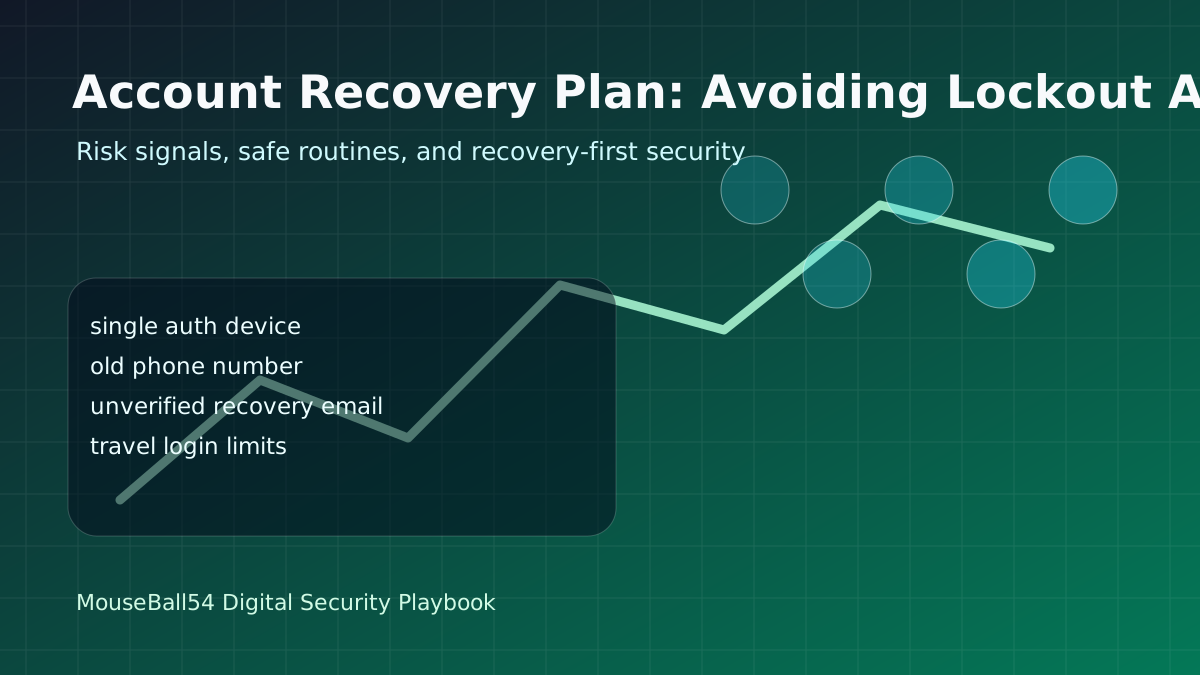
What Can Go Wrong
Relying on one MFA device can strengthen security while lowering real recoverability.
This attack pattern works by pulling users away from normal routes. When single auth device appears, do not solve the problem inside the message thread. Instead, register backup email and backup factors so evidence and recovery options stay under your control.
For single auth device, old phone number, the baseline is pause, verify separately, preserve records, and keep recovery possible. Even without deep technical knowledge, those steps slow account takeover and financial loss.
Warning Signals To Check First
- single auth device: Do not fix the issue inside the message or app that triggered it. Recheck through a saved bookmark, official app, or another trusted route.
- old phone number: Preserve screenshots, sender details, payment requests, and login history first. Evidence makes blocking, reporting, and recovery more reliable.
- unverified recovery email: Define the recovery order: password change, MFA reset, connected-device review, and payment alert checks. Handle important accounts one at a time.
- travel login limits: If family, work, customer data, or payment authority is involved, tell the responsible person quickly. Fast reporting limits the damage.
Practical Setup Order
- Store recovery codes offline.
- Register backup email and backup factors.
- Test account recovery paths once a quarter.
If family members or teammates are involved, share one verification phrase and one pause rule. A simple rule such as ‘Store recovery codes offline’ is easier to follow under pressure than improvising.
If You Already Made a Mistake
If you already acted on single auth device, organize the timeline instead of hiding the mistake. Change passwords, review payment methods, capture login history, and check connected devices before evidence disappears.
If work accounts, customer data, or payment authority are connected to single auth device, tell the responsible person quickly. Fast reporting is a security control, not an admission of failure.
Monthly Checkup
- Store recovery codes offline.
- Register backup email and backup factors.
- Test account recovery paths once a quarter.
- Review login history and connected devices together.
- Record the date and reason when you change a security setting.
Professional Depth Check
For Account Recovery Plan: Avoiding Lockout After Losing a Phone, the practical standard is not whether the reader can repeat one instruction once. Treat the topic as a security prevention and recovery routine: verify account access, device state, recovery channel, and evidence preservation before drawing a conclusion. The result should be written as a small decision record, because future readers need to know which fact was observed, which assumption was used, and which condition would change the answer.
Evidence That Makes the Guidance Reliable
Use objective evidence before changing a workflow. Good evidence includes login history, alert emails, transaction records, and device and browser versions. If two pieces of evidence conflict, keep the conflict visible instead of smoothing it over. For example, a successful quick fix is still weak evidence if the same input, account, dependency, or device state has not been tested again. A durable article should help the reader distinguish a confirmed fix from a plausible fix.
Review Table
| Review Item | What To Confirm | Why It Matters |
|---|---|---|
| Scope | The exact case covered by this article | Prevents over-applying the advice |
| Baseline | The state before any change | Makes rollback and comparison possible |
| Change | The smallest action taken | Reduces hidden side effects |
| Result | The observed output after the change | Separates evidence from expectation |
| Recheck | When to revisit the conclusion | Keeps the post accurate over time |
Edge Cases and Failure Modes
The main risks are resetting evidence before screenshots are captured, and reusing compromised recovery channels. When the situation involves production data, personal information, money, health, legal rights, or security recovery, the conservative path is to stop and collect evidence before applying a broad fix. The same title can describe very different cases, so the reader should compare their environment with the assumptions in the post before copying commands or decisions.
Maintenance Standard
Recheck this guidance after suspicious messages, account alerts, device changes, or breach notices. A useful update does not need to rewrite the entire post; it should confirm whether the examples, links, commands, screenshots, and decision criteria still match current behavior. If the old conclusion remains valid, record the check date. If it changes, explain what changed and why the previous advice is no longer enough.
Source Notes
- NIST SP 800-63B Authentication and Authenticator Management
- FTC Two-Factor Authentication Guide
- CISA Secure Our World
Leave a comment