Problem
You try to run pip, but Python reports that the pip module does not exist.
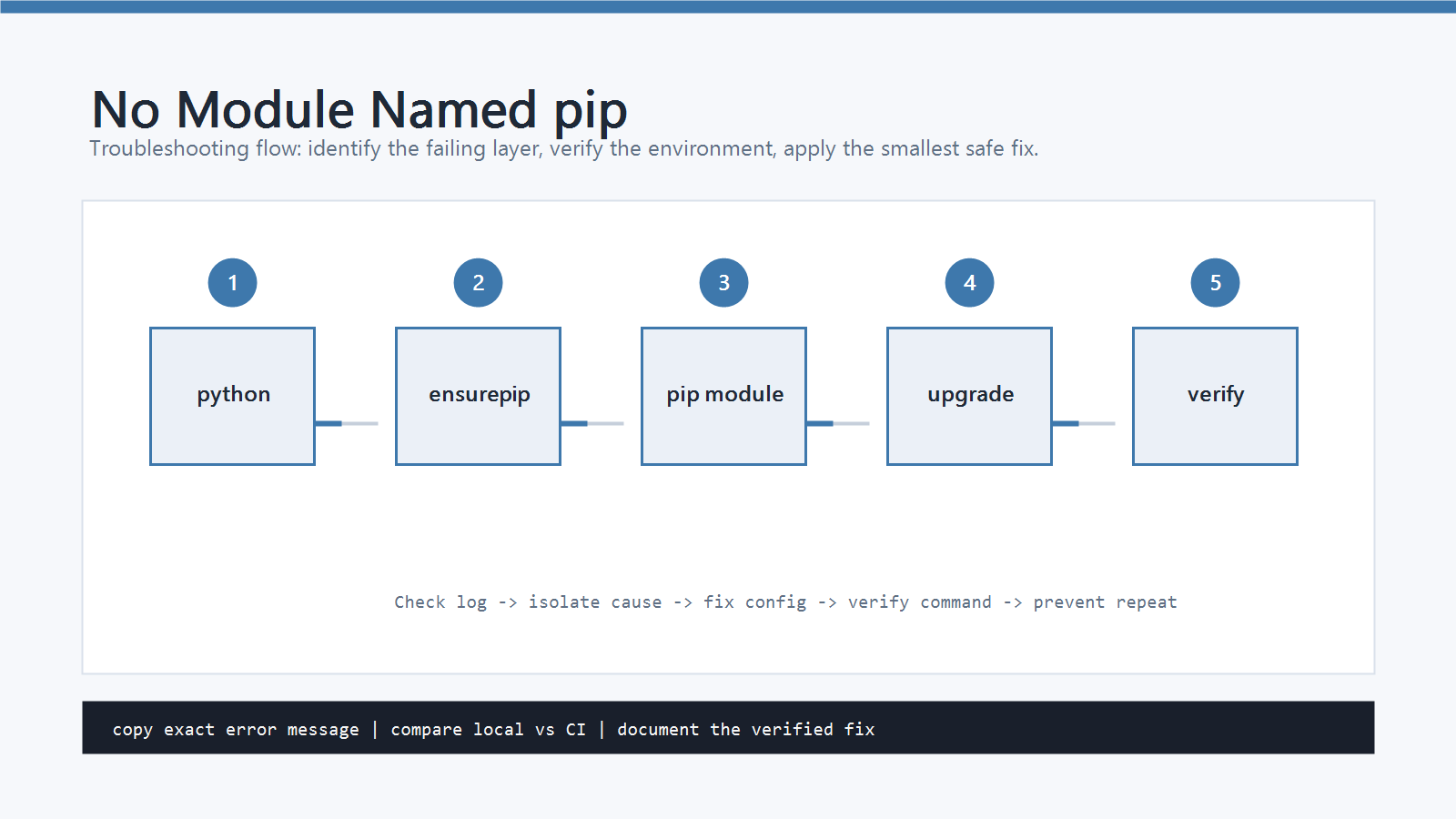
The error often looks like this:
No module named pip
You may also see it when running:
python -m pip --version
This is different from a normal package install failure.
In this case, Python itself is available, but the pip installer is missing from the Python environment you are using.
Plain pip can be misleading because it may point to another Python installation.
For this reason, diagnose the problem with python -m pip or py -m pip on Windows.
Cause
No module named pip usually happens for one of these reasons.
- Python was installed without
pip. - The Python installation is incomplete or damaged.
- A virtual environment was created without
pip. - The active terminal points to a different Python than expected.
- A system-managed Python package does not include
pipby default. - The
pippackage was removed from the environment.
The safest fix is to install or restore pip for the exact Python interpreter you plan to use.
Quick Fix
Try ensurepip first.
It is Python’s built-in tool for bootstrapping pip in many standard Python installations.
Windows
py -m ensurepip --upgrade
py -m pip install --upgrade pip
py -m pip --version
macOS and Linux
python3 -m ensurepip --upgrade
python3 -m pip install --upgrade pip
python3 -m pip --version
If python3 is not the command you use for your project, replace it with the correct interpreter.
For example:
python -m ensurepip --upgrade
python -m pip --version
Step-by-Step Fix
1. Confirm Which Python You Are Using
Before reinstalling anything, check the active Python path.
python -c "import sys; print(sys.executable)"
python -c "import sys; print(sys.version)"
On Windows, list installed Python versions with:
py -0p
If the path is not the Python installation you expected, fix that first.
Otherwise, you may restore pip in one Python installation while your project uses another.
2. Restore pip with ensurepip
Run:
python -m ensurepip --upgrade
Then upgrade pip:
python -m pip install --upgrade pip
Finally, verify:
python -m pip --version
The output should show a pip version and a path inside the Python installation or virtual environment you are using.
3. Fix a Virtual Environment Without pip
If the error happens inside a virtual environment, the environment may have been created without pip.
First, activate the environment.
Windows PowerShell:
.\.venv\Scripts\Activate.ps1
macOS and Linux:
source .venv/bin/activate
Then run:
python -m ensurepip --upgrade
python -m pip install --upgrade pip
python -m pip --version
If the environment is small and reproducible, the cleanest fix is often to recreate it:
python -m venv .venv
If you need to recreate it from scratch, remove the old environment folder first and create a new one with the same Python version.
4. Check Whether ensurepip Is Available
Some Linux distributions package pip separately.
If ensurepip is disabled or missing, you may see an error when running it.
In that case, install pip through the system package manager or create a project virtual environment with a Python installation that includes ensurepip.
Examples:
sudo apt install python3-pip
or:
python3 -m venv .venv
source .venv/bin/activate
python -m pip --version
Use the package manager only for system Python. For project dependencies, prefer a virtual environment.
5. Avoid Confusing pip with Python
After restoring pip, avoid using plain pip until you know it points to the right interpreter.
Use:
python -m pip install package-name
instead of:
pip install package-name
This prevents the common mismatch where pip installs into one Python version but your script runs with another.
How to Verify
Run these commands:
python -m pip --version
python -m pip list
python -c "import sys; print(sys.executable)"
The pip --version output should point to the same environment shown by sys.executable.
Then test an actual install:
python -m pip install requests
python -c "import requests; print(requests.__version__)"
If that works, pip is restored correctly.
Common Mistakes
- Installing
pipfor one Python version and running the project with another. - Using plain
pipbefore checkingpython -m pip --version. - Recreating a virtual environment but forgetting to activate it.
- Using administrator permissions when a virtual environment would solve the problem.
- Treating
No module named piplikeNo module named requests. The first meanspipitself is missing; the second means a project package is missing.
Professional Depth Check
For How to Fix No module named pip in Python, the practical standard is not whether the reader can repeat one instruction once. Treat the topic as a reproducible debugging procedure: verify interpreter path, virtual environment, package version, and input file or data boundary before drawing a conclusion. The result should be written as a small decision record, because future readers need to know which fact was observed, which assumption was used, and which condition would change the answer.
Evidence That Makes the Guidance Reliable
Use objective evidence before changing a workflow. Good evidence includes python --version, python -m pip show, the full traceback, and a minimal script. If two pieces of evidence conflict, keep the conflict visible instead of smoothing it over. For example, a successful quick fix is still weak evidence if the same input, account, dependency, or device state has not been tested again. A durable article should help the reader distinguish a confirmed fix from a plausible fix.
Review Table
| Review Item | What To Confirm | Why It Matters |
|---|---|---|
| Scope | The exact case covered by this article | Prevents over-applying the advice |
| Baseline | The state before any change | Makes rollback and comparison possible |
| Change | The smallest action taken | Reduces hidden side effects |
| Result | The observed output after the change | Separates evidence from expectation |
| Recheck | When to revisit the conclusion | Keeps the post accurate over time |
Related Posts
- How to Fix pip install Failed in Python
- How to Fix ModuleNotFoundError in Python
- How to Fix PermissionError: [Errno 13] Permission denied in Python
FAQ
When should I use this guide?
Use it when you can reproduce the error and need a practical order for checking commands, versions, paths, permissions, and logs.
What should beginners verify first?
Start with the exact error message, the command you ran, the operating system, and the tool version. These details usually narrow the cause faster than changing many settings at once.
Which keywords should I search next?
Search for “How to Fix No module named pip in Python” together with the exact error text, version, operating system, and tool name used in your environment.


Leave a comment