Hello! Today, I want to take you on a deep dive into the key features of Easy Labeling, a powerful image annotation tool designed to revolutionize the process of creating object detection datasets.
The current repository documents Easy Labeling as a local annotation tool with two workflow tabs: Detection for YOLO bounding boxes and Segmentation for brush-based masks. This post focuses on the Detection-heavy productivity features, then notes where mask work follows a different flow.
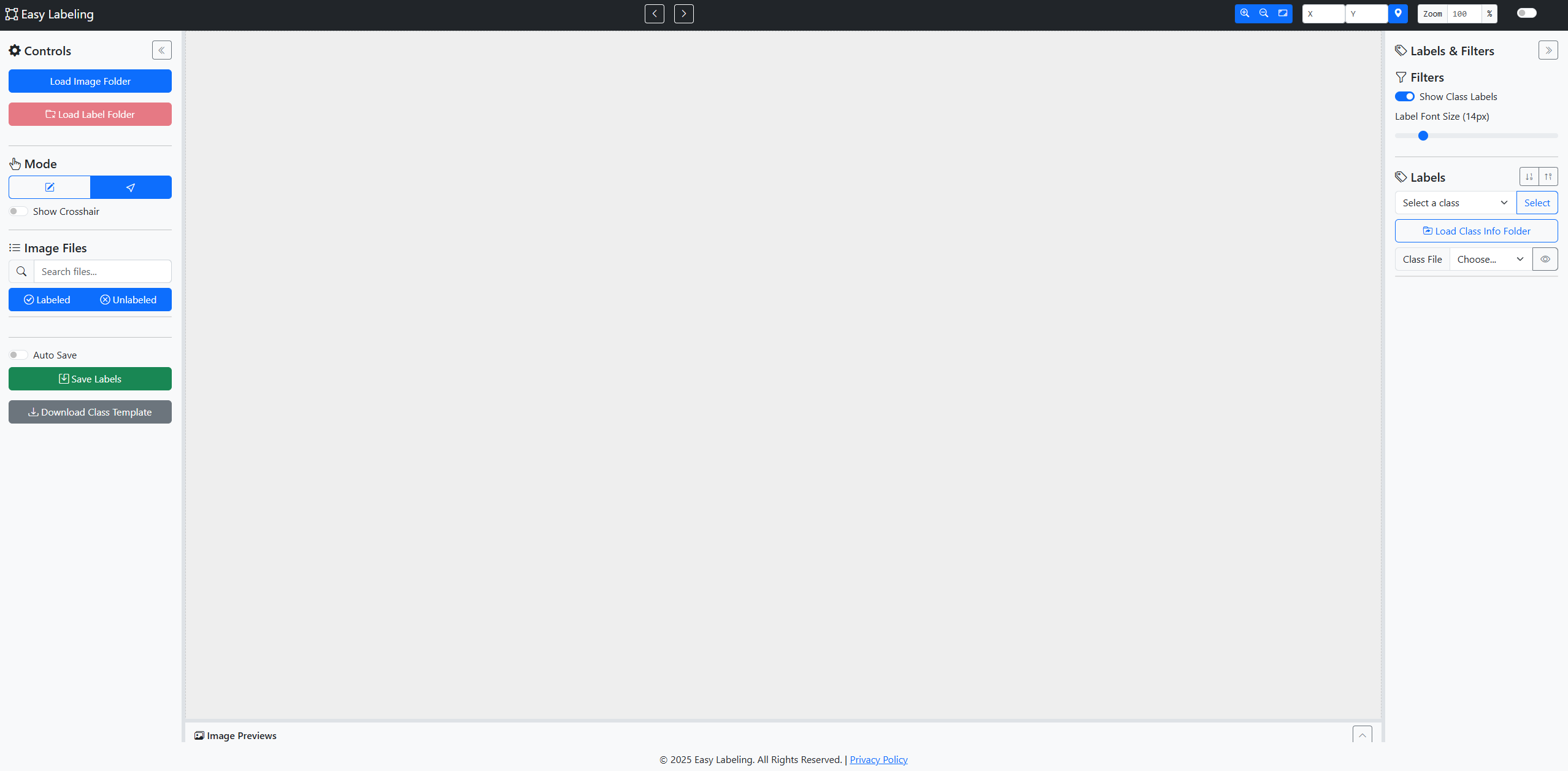
1. Seamless Local Environment with No Server Needed
One of the most significant advantages of Easy Labeling is its ability to work directly with files on your computer without requiring any server setup or file uploads. By leveraging the modern File System Access API, it securely accesses local folders to read and save images and label files.
- High-Speed Performance: Eliminates upload and download times, allowing you to process large datasets quickly.
- Robust Security: All data is handled exclusively on your machine, ensuring that sensitive information remains private and secure.
2. Intuitive and Powerful Annotation Tools
Easy Labeling includes separate tools for box annotation and mask annotation.
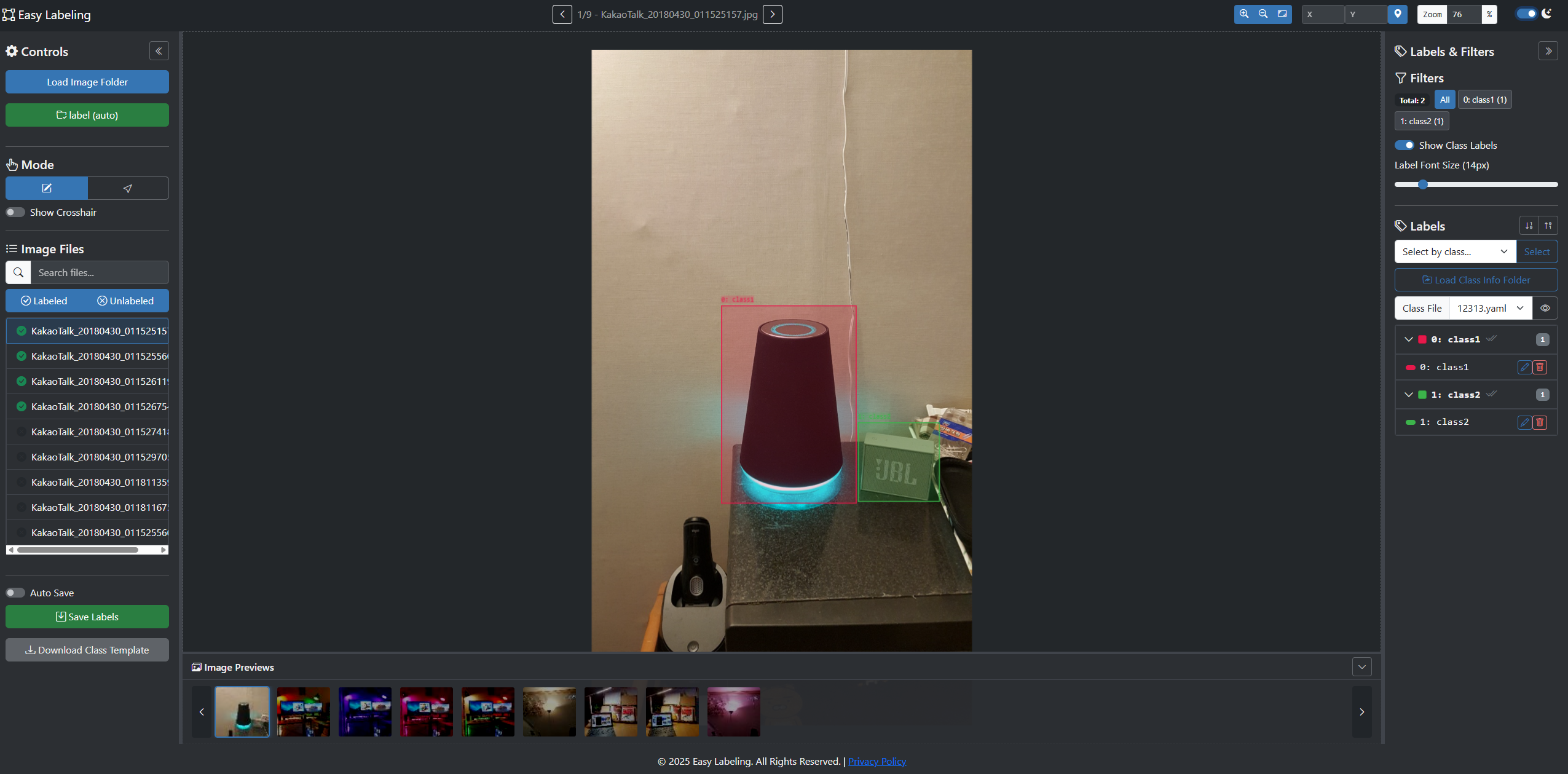
- Detection Box Editing: Draw, resize, move, delete, copy, paste, align, distribute, and change classes for YOLO boxes.
- Segmentation Mask Editing: Paint and erase masks, adjust brush size, move connected regions, and change the selected region class.
- Precision Control: Zoom, pan, use crosshair guidance, and switch draw/edit modes with
Ctrl+Q.
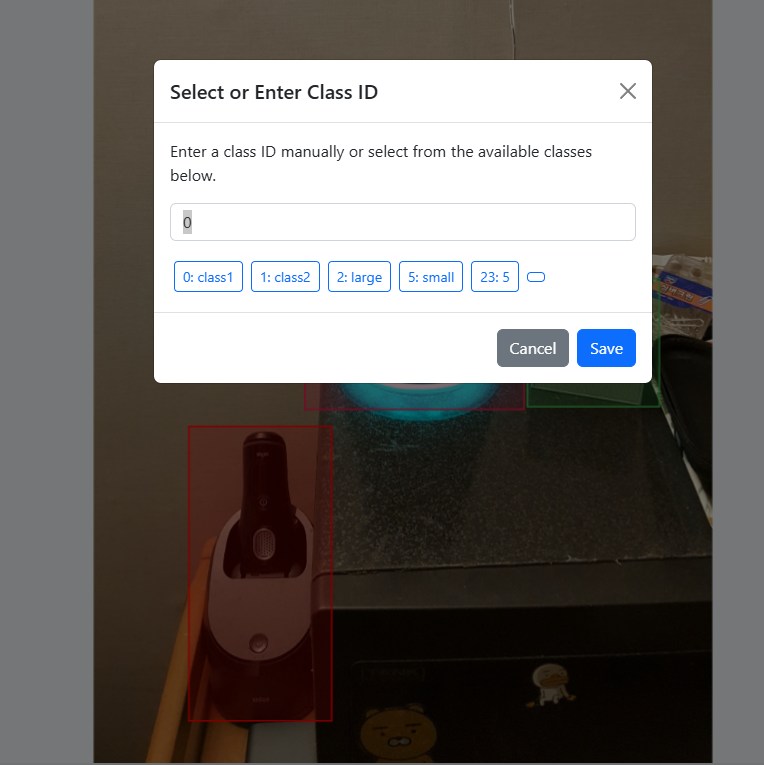
3. UI/UX Designed for an Efficient Workflow
The interface is intelligently designed to help you focus purely on the task at hand.
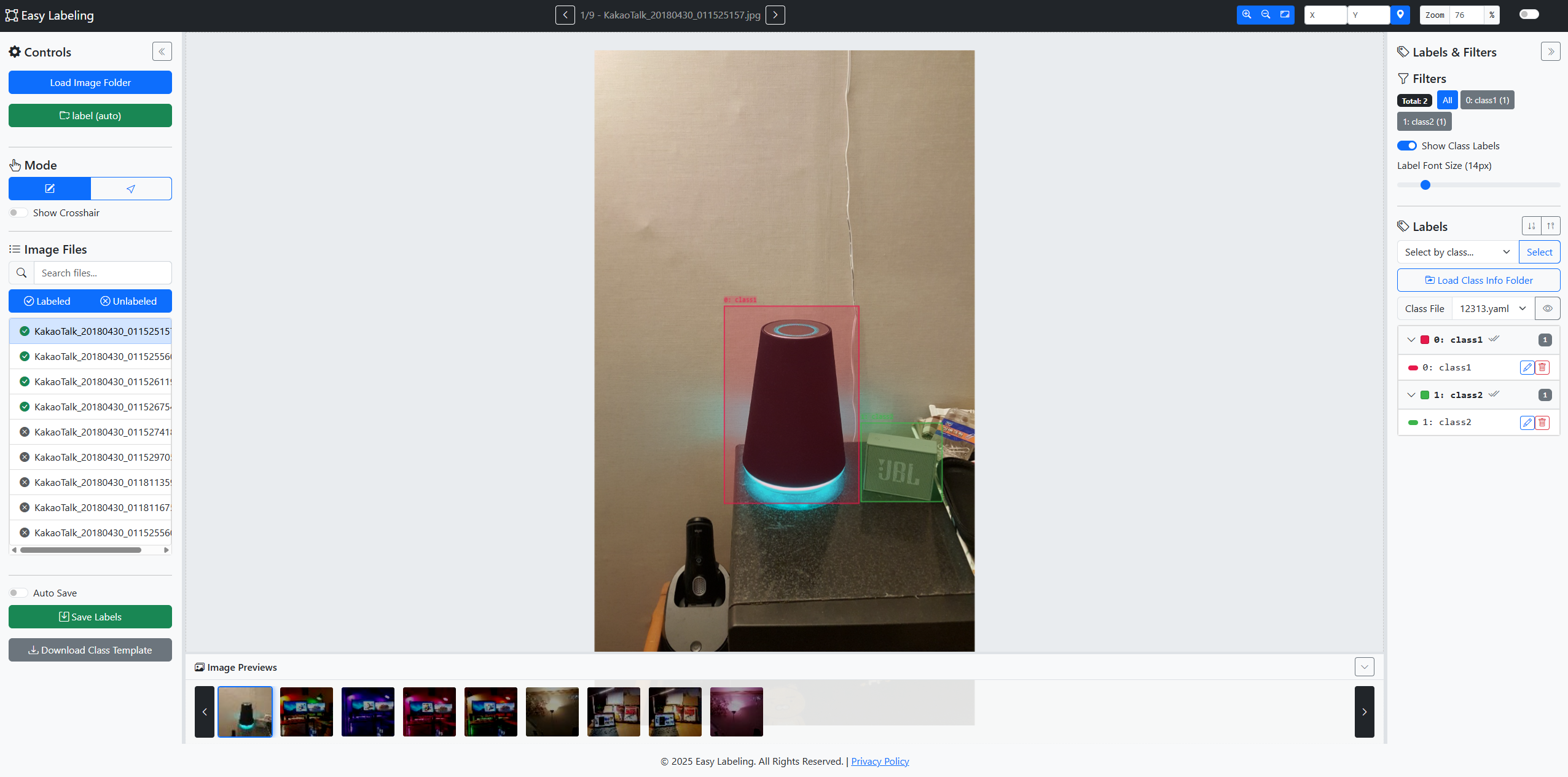
- Maximized Workspace: Adjust the size of the side panels or collapse them completely to get a wider, unobstructed view of the image.
- Image Preview Bar: The thumbnail bar at the bottom provides a complete overview of your dataset, allowing you to navigate to any image instantly.
- Real-Time Sync: Selecting a box on the canvas highlights the corresponding label in the side panel, and vice versa, keeping your view perfectly synchronized.
- Powerful Filtering: Systematically work through your dataset by filtering images that are unlabeled or contain specific classes.
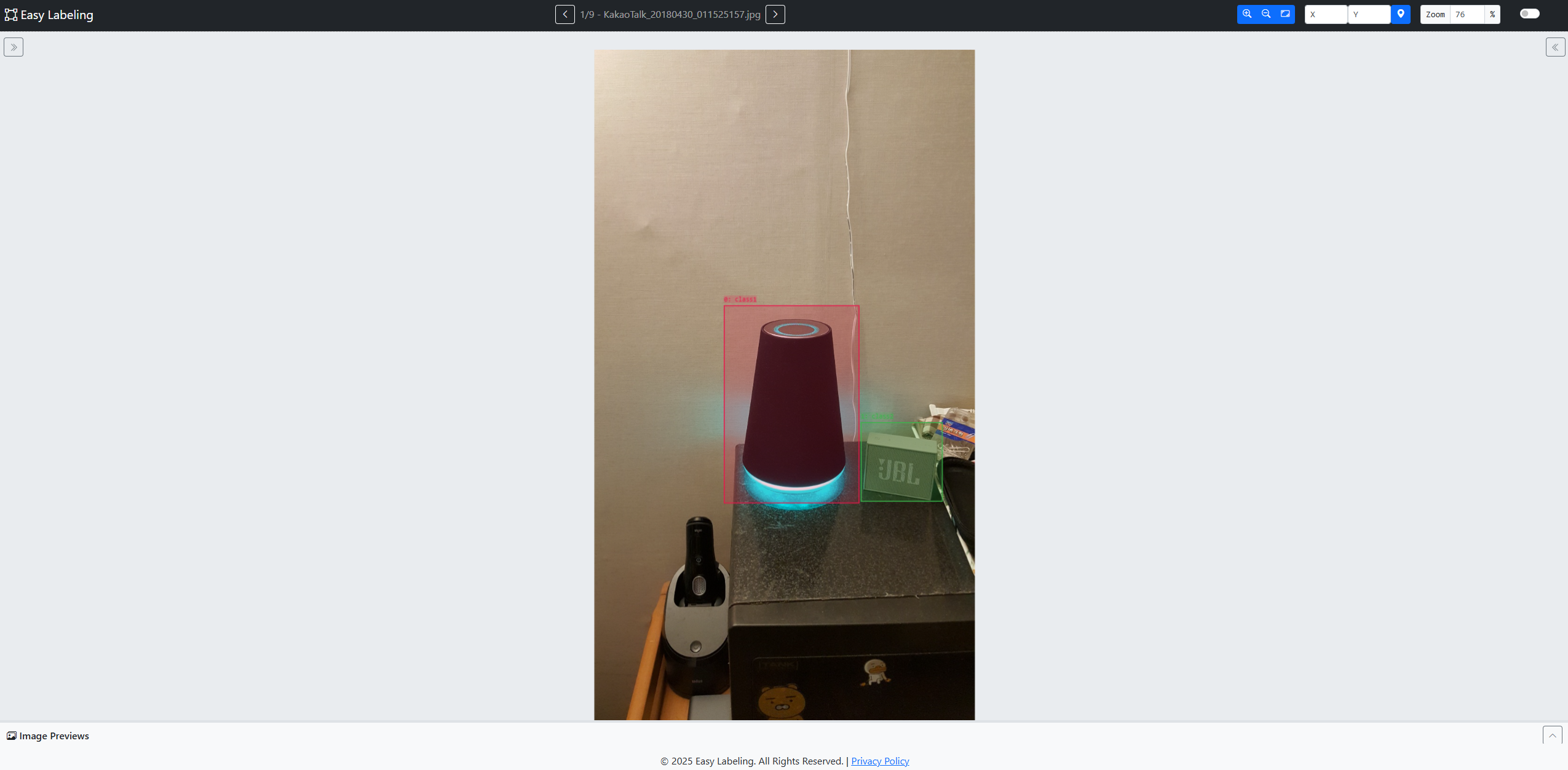
4. Smart Label Management
Go beyond simple annotation with advanced features for managing your dataset systematically.
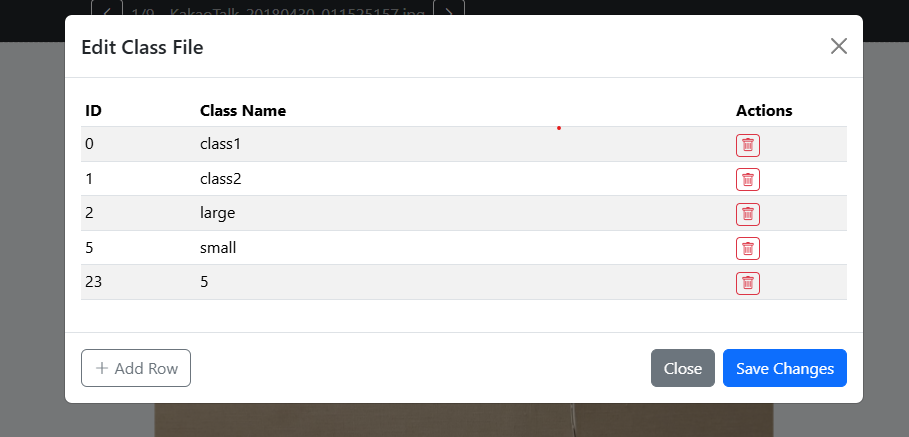
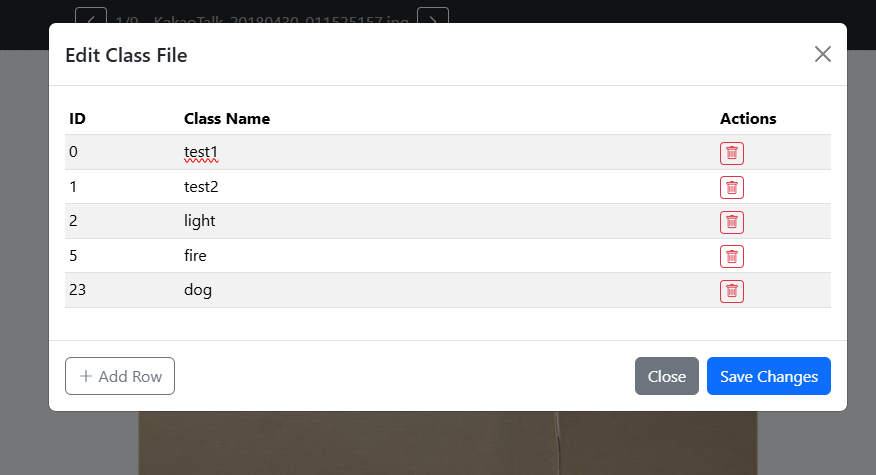
- Load Class Names from YAML: Import a class definition file (like
data.yaml) to manage labels with human-readable names such as ‘car’ or ‘person’ instead of numeric IDs like ‘0’ or ‘1’. - Bulk Actions: Minimize repetitive tasks by selecting all boxes of a specific class at once or changing the class of multiple selected boxes simultaneously.
5. Productivity-Boosting Convenience Features
- Dark Mode: Work comfortably for extended periods with a sleek, eye-friendly dark mode.
- Auto-Save: Your progress is automatically saved to prevent any accidental data loss.
- Extensive Shortcuts: Maximize your speed with a wide range of keyboard shortcuts for actions like navigating images (A/D), copy/paste (Ctrl+C/V), and more.
Try It Now
Easy Labeling is an open-source project that is continuously evolving with feedback from developers and researchers. Start from the launch page, and use the GitHub repository when you want to inspect the source or follow development.
Visit the Easy Labeling GitHub repository
Professional Depth Check
For Easy Labeling Features for YOLO Data Labeling, the practical standard is not whether the reader can repeat one instruction once. Treat the topic as a computer-vision dataset quality workflow: verify class dictionary, annotation consistency, train/validation/test split, and export format before drawing a conclusion. The result should be written as a small decision record, because future readers need to know which fact was observed, which assumption was used, and which condition would change the answer.
Evidence That Makes the Guidance Reliable
Use objective evidence before changing a workflow. Good evidence includes sample review notes, YOLO or COCO files, labeler disagreement records, and training error examples. If two pieces of evidence conflict, keep the conflict visible instead of smoothing it over. For example, a successful quick fix is still weak evidence if the same input, account, dependency, or device state has not been tested again. A durable article should help the reader distinguish a confirmed fix from a plausible fix.
Review Table
| Review Item | What To Confirm | Why It Matters |
|---|---|---|
| Scope | The exact case covered by this article | Prevents over-applying the advice |
| Baseline | The state before any change | Makes rollback and comparison possible |
| Change | The smallest action taken | Reduces hidden side effects |
| Result | The observed output after the change | Separates evidence from expectation |
| Recheck | When to revisit the conclusion | Keeps the post accurate over time |
Source Notes
- Easy Labeling GitHub Repository: current tool scope, Detection/Segmentation workflows, save formats, browser requirements, and Electron build notes.
- MDN File System Access API: browser-side local folder access background.
- Ultralytics Object Detection Dataset Docs: YOLO dataset and label-format reference.
- Label Studio Bounding Box Template: bounding-box annotation concepts used across labeling tools.
Related Reading
Continue with these related posts from the same topic area.


Leave a comment